10,000credits
$10one-time
$1.00 per 1,000 credits
- Top up whenever you run low
Made for woodworkers: describe your next piece in plain words and Castle Joint draws it in CAD, part by part, with real joinery. Start from one of the curated examples below, or try it yourself.
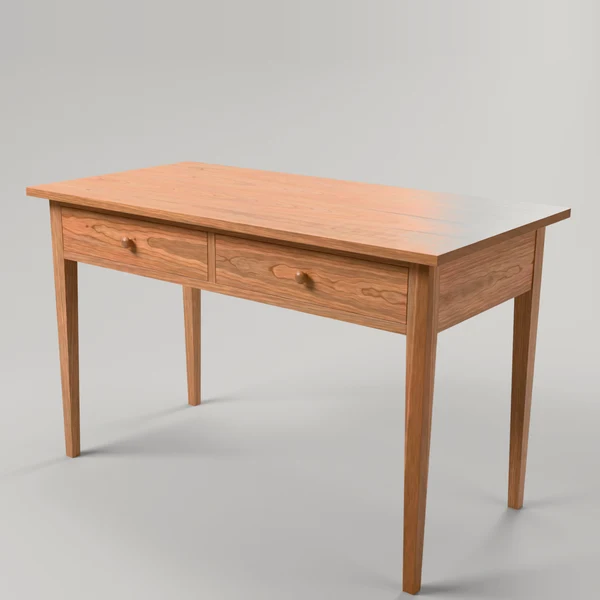
Every piece here was made from a prompt. Open one to see the words behind it.
Castle Joint is a 3D modeling tool for woodworkers. You describe a piece in plain words. It works out the parts and the joinery between them, and shows you the result as a model you can turn, open up and adjust.
Text-to-3D tools generate a shape that looks like furniture. Castle Joint works differently: the AI drives CAD software and draws your piece the way a woodworker would, one part and one joint at a time.
Five steps, from the first sentence to a plan you can take to the shop.
Write what you want to build the way you’d explain it to another woodworker: what it is, roughly how big, the wood, and the joints you care about. Add a sketch or a photo if it helps.
“Walnut side table, 55 cm tall, with a castle joint at the top of each leg.”
Castle Joint draws the piece in CAD the way you would: each leg, rail and panel is its own solid part, with the joints cut in.
Turn the model around, look inside the joints and check every dimension.
Ask for changes in plain words, like a thicker top, a different joint or another drawer, until the piece is right.
Take the parts, their sizes and the joinery details to the shop.
The short version. The full terms will live at [LINK TO TERMS OF SERVICE].
What you design with Castle Joint belongs to you: the prompts you write, the models and the plans.
We keep improving how Castle Joint handles joinery and construction, but like any CAD tool it can’t guarantee that a design is structurally sound. Check dimensions, wood movement and anything that carries weight, and adjust the model before you build. The final responsibility for the piece is yours.
Generating and changing designs uses credits; see Pricing. Automated or bulk generation isn’t allowed.
One person per account. You can download your designs or delete your account whenever you like.
The plan collection costs nothing to browse. Credits are for designing your own pieces: buy a pack when you need one, or subscribe and get a fresh batch every month or year.
Credits pay for the AI work: turning your words into a model. Looking around costs nothing.
Prices in US dollars. [VAT NOTE]
* Estimates. Furniture designs vary a lot in complexity: a simple shelf uses far fewer credits than a desk with drawers.
The plan collection is free. Pick a design, read its prompt and try it in the app.
Free plan
Opens this design in the Castle Joint app, where you can rotate it, change its dimensions and download the plan.